
WELCOME 24 — Internal Platform for Real Estate Agents
From Excel and manual calculations to a transparent performance system
Project Context
WELCOME 24 is an internal platform used daily by real estate agents and managers. Before the platform: operations were managed in Excel and external sheets, KPIs and revenue were calculated manually, analytics were scattered across sources, data quickly became outdated. The platform grew, but management tools didn't.
Problem
There was no single source of truth. That broke four things at once:
- An agent's performance couldn't be seen without rebuilding it by hand in Excel.
- Managers had no view of the network — only per-office spreadsheets that disagreed with each other.
- Agents had no metric they could act on, so the numbers motivated nothing.
- Every new office added manual reporting work for someone.
Decisions ran on intuition, not data.
Business Goal
Build one place to run agent performance from. It had to:
- Hold KPIs, revenue, and daily operations in a single view.
- Show an agent where they stand and what to do next — not just what already happened.
- Replace manual reporting with numbers the system calculates itself.
- Hold up at dozens of agents and at thousands, without a redesign.
- Work the same on web, iOS, and Android.
My Role
As Product Designer, I had end-to-end responsibility for key product blocks: agent dashboard 'Performance', complete design system (tokens → components → guidelines), agent database, platform navigation hierarchy, UX support for Web, iOS, Android, solutions impacting motivation, revenue visibility, and network scalability.
MLM module was designed by another team member.
Approach & Process
Design System as a Product Foundation
The design system was treated not as a UI kit, but as an operational foundation for dashboards, tables, and mobile scenarios. The WELCOME 24 interface was designed strictly within the company's existing brand guidelines. For the business, it was critical that the product felt like a natural extension of the welcomehome24.ru ecosystem, not a standalone app.
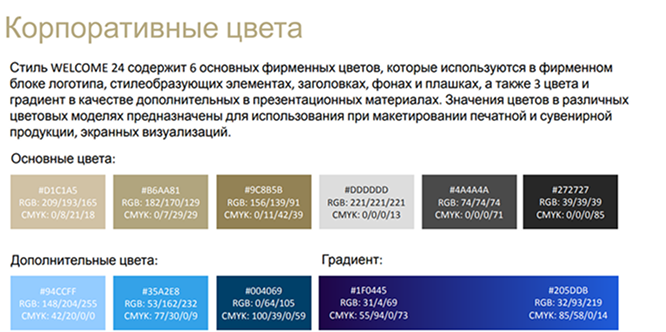
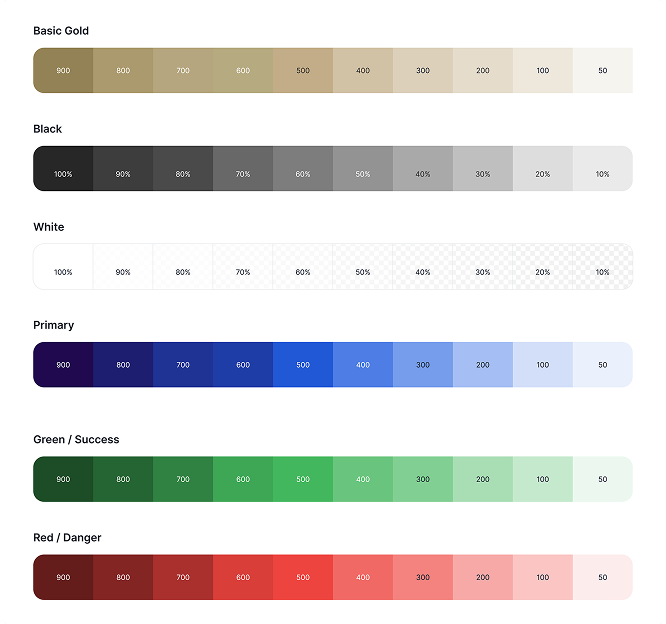
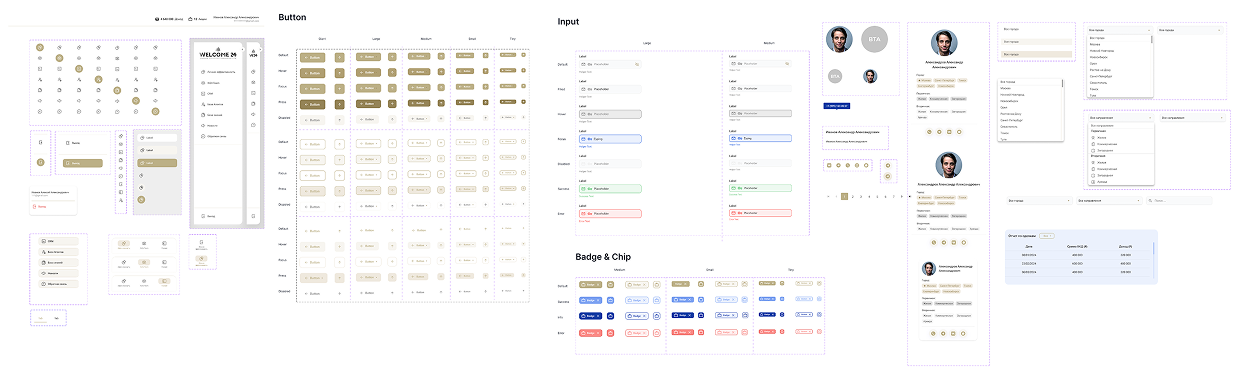
Based on the official WELCOME 24 brand palette, I built a functional UI color system. Each base brand color was extended into a full scale from 50 to 900, enabling: consistent color usage across all UI states (hover, active, focus, disabled, background, border), a clear visual hierarchy, elimination of random accent usage, room to add new UI states later without inventing colors outside the brand.
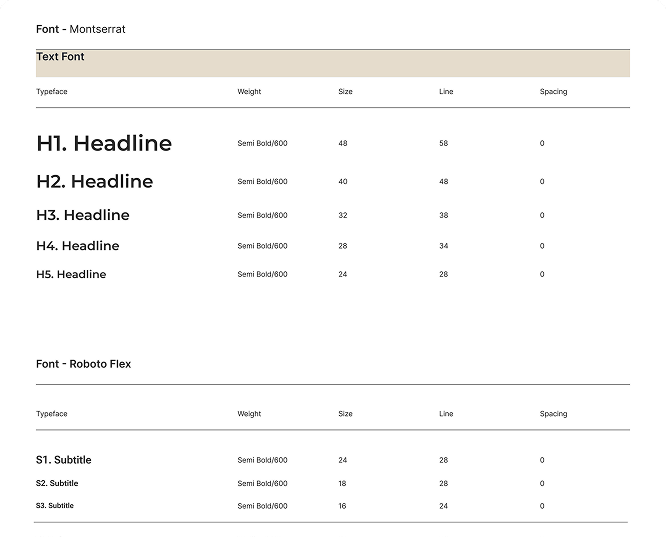
The typography system is based on two brand fonts defined in the WELCOME 24 guidelines: Roboto Flex — primary UI font for long text, tables, and navigation. Montserrat — accent font for headings and structural blocks. I expanded the basic brand rules into a full product-ready typography system: 5 heading levels (H1–H5), 3 subtitle levels for cards/lists/data blocks, 4 body text levels for different reading scenarios, unified sizing/spacing rules for buttons (from Giant to Tiny), Caption and Label styles for system hints, statuses, and secondary information.
I expanded the brand guidelines into a complete design system: 12-column grid.
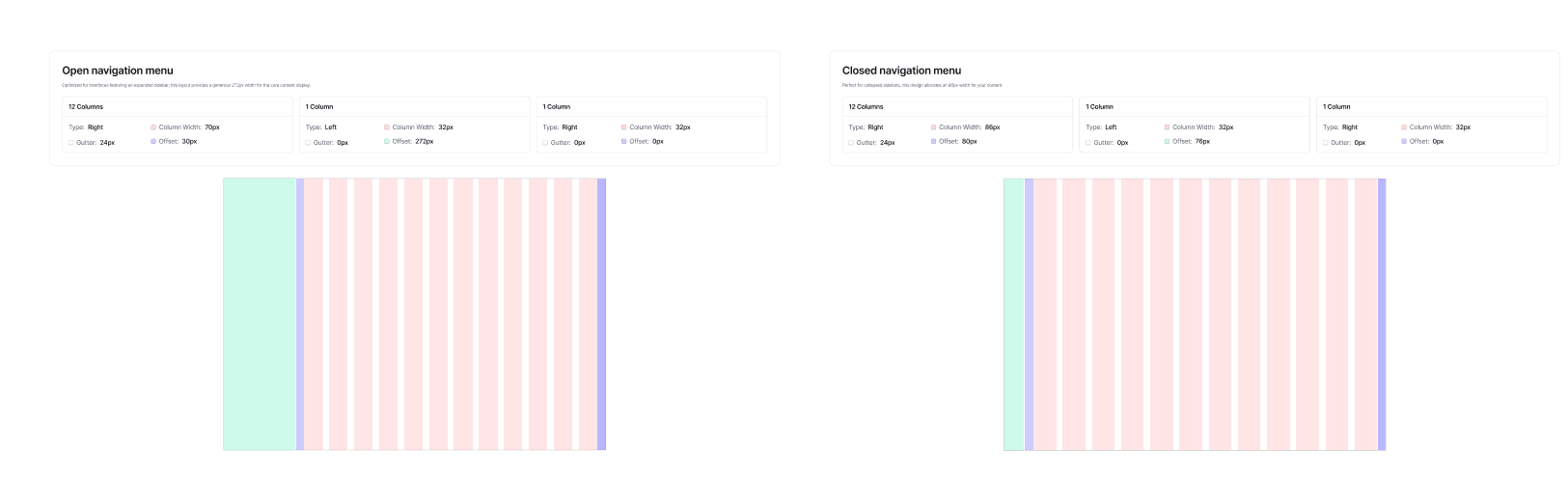
Click to read it up close.
Buttons, cards, tables, tags, form fields, states.
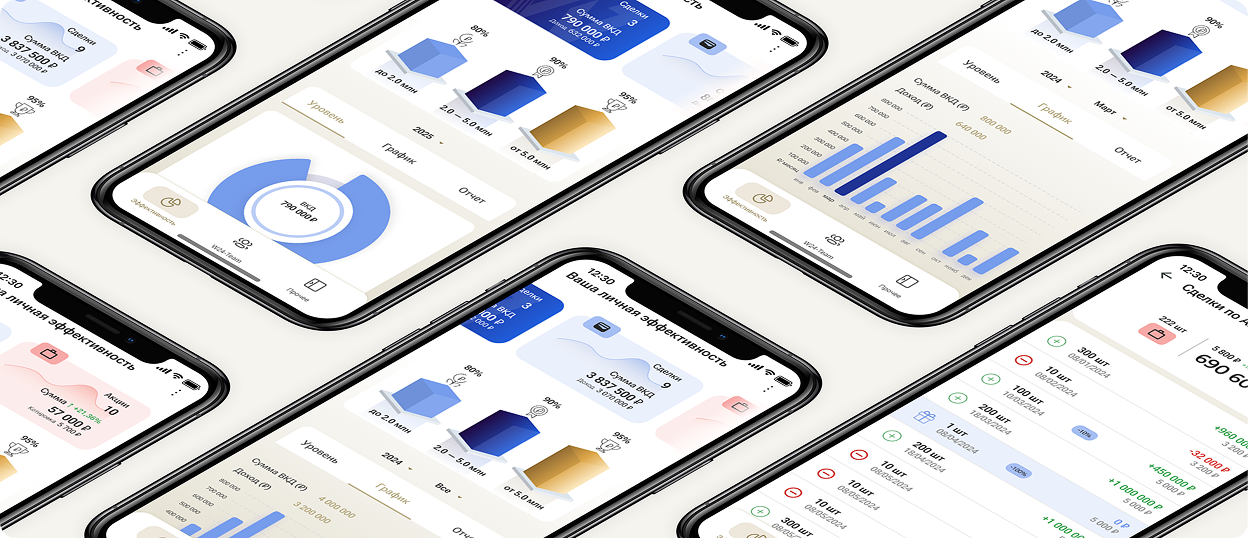
Dashboard “Personal Performance”
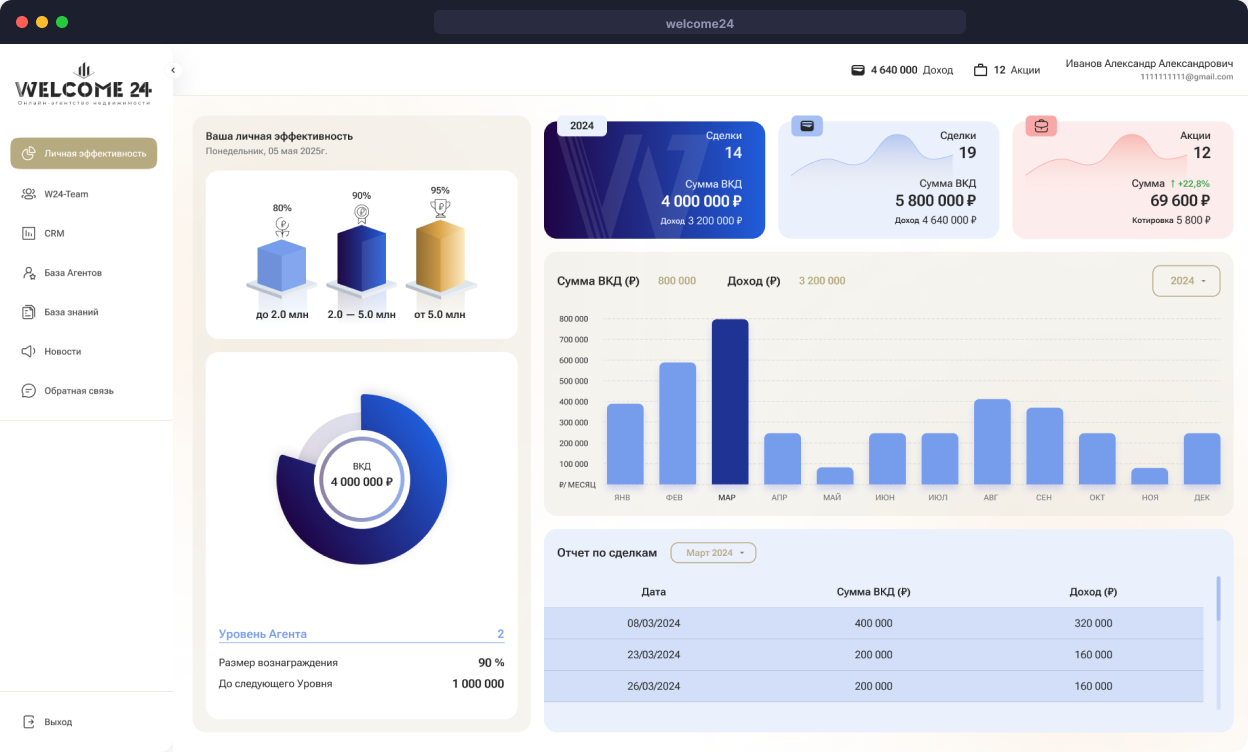
Dashboard Goal
Give the agent an answer in 10 seconds: “Where am I now? Am I growing? What should I do next?”
Key Decisions
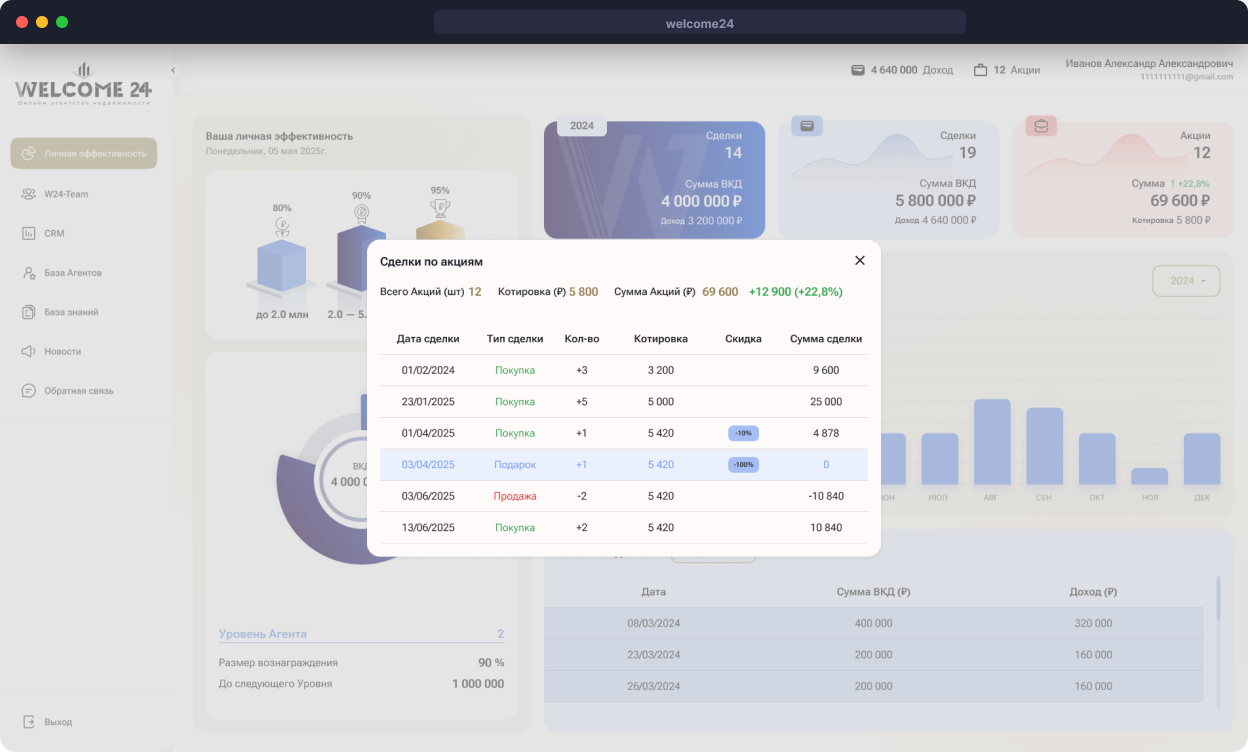
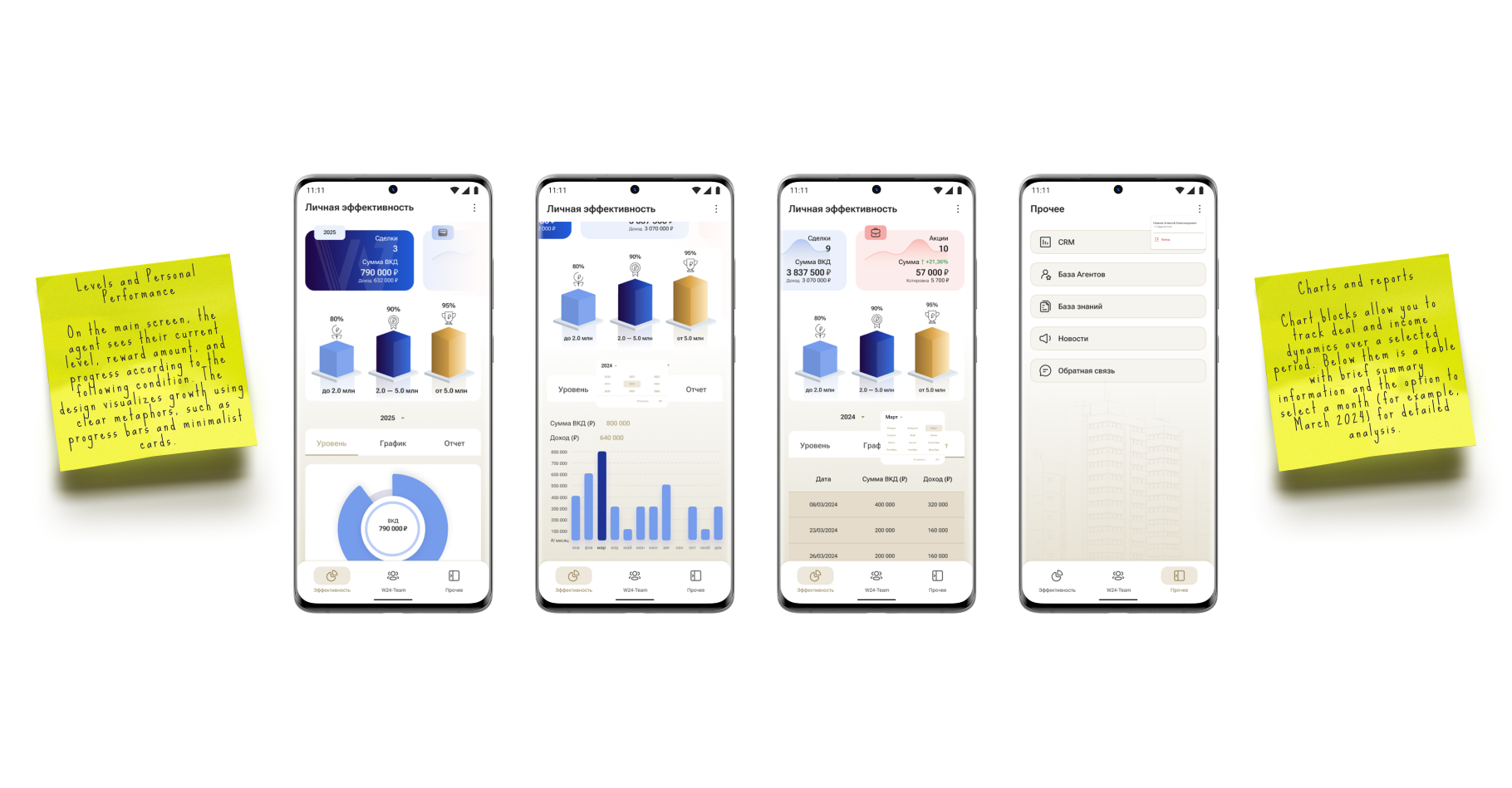
KPI cards (deals, income, activity), time-based dynamics (day/week/month), mini charts, “Assets & Deals” block, levels and progress system (gamification).
Agent Database

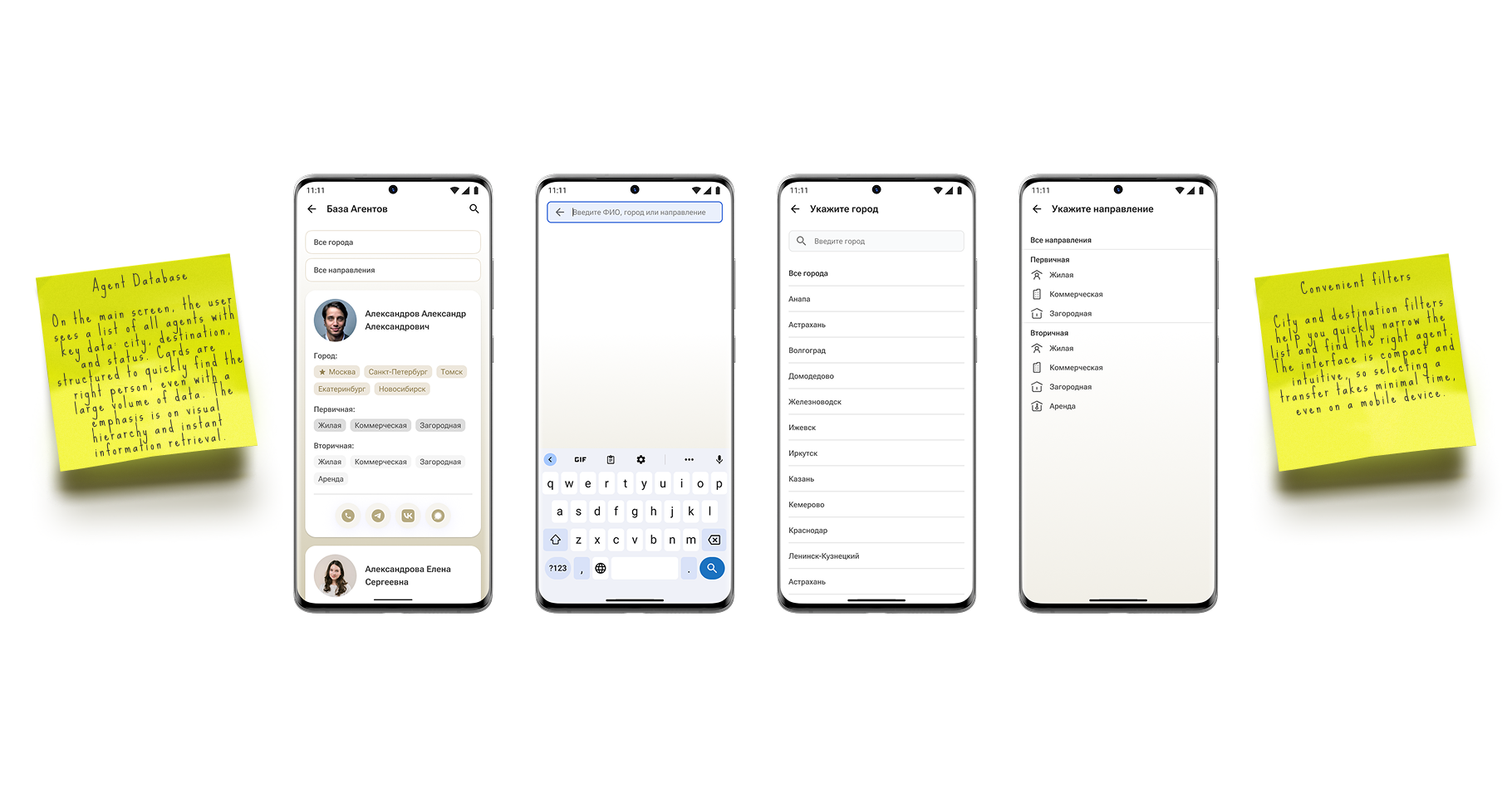
The Agent Database is used daily by: team leads, recruiters, agents themselves. They needed a tool with zero learning curve to: quickly find specialists, understand their expertise and geography, instantly contact the right person.
UX Solution
- Unified agent cards (photo or initials, name, city, specialization, quick contacts)
- Flexible filters and search (city, specialization, name — with context preservation)
- Filter-aware pagination (fast navigation without losing orientation)
- Incomplete profile handling (initials, simplified cards, preserved visual rhythm)
- Full design system integration (cards, tags, icons, fields, states)
- Scan-friendly layout (grid, compact tags, clear hierarchy)
Mobile Experience
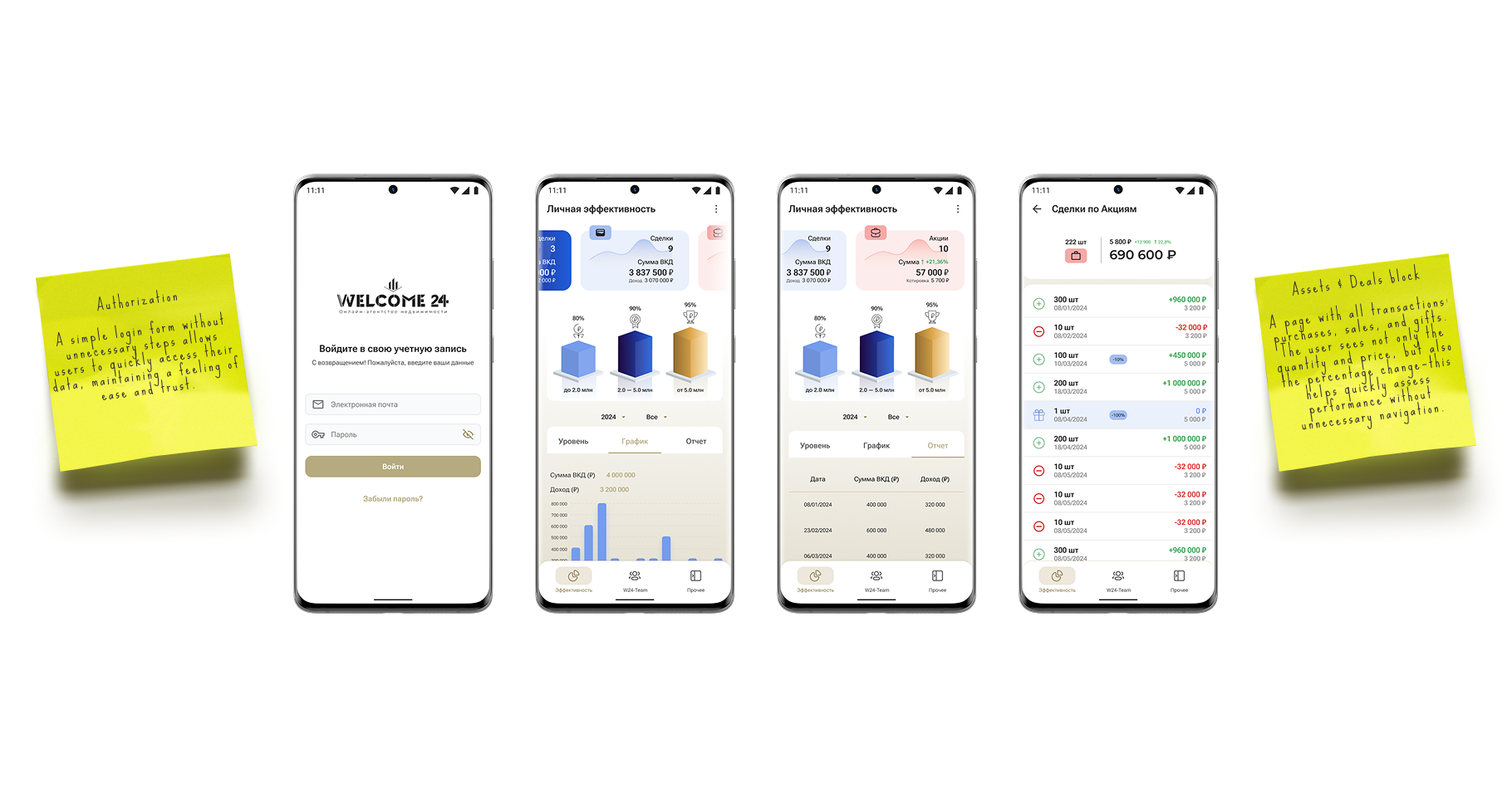
The mobile interface was optimized for fast, frequent scenarios: KPI checks, levels, deals, reports.
Click a screen to read it up close.
The product was successfully published in the App Store. At the moment, the iOS app is temporarily unavailable due to external regional restrictions.
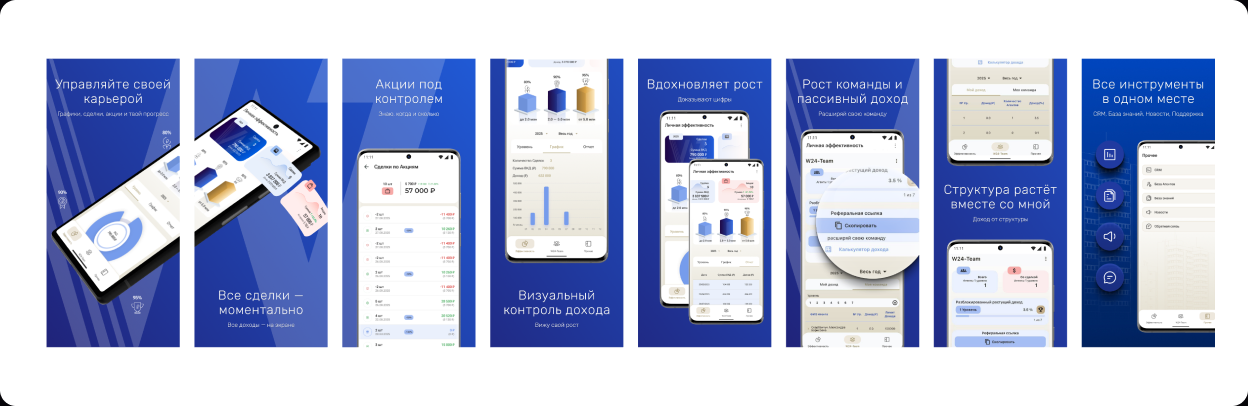
For Android and mobile web users, an alternative solution was implemented: access via Web Application, ability to download the Android app directly from the web after authentication, full mobile functionality preserved.