
UniPrompt
One product. Two stages of growth.
Stage 1
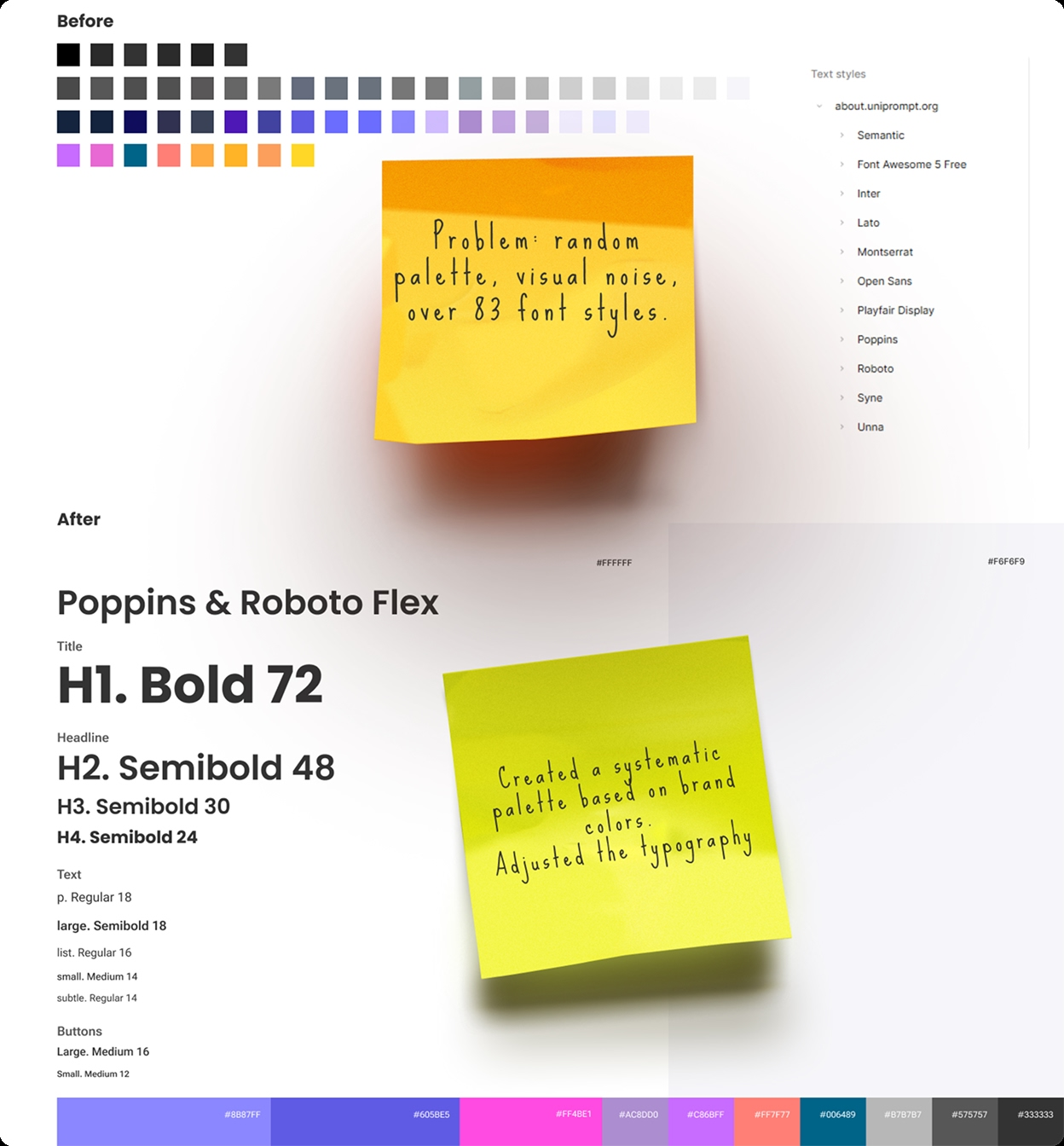
Redesign and design system
From a fragmented UI to a unified design system
About the Project
UniPrompt is a large AI platform that brings together experts, tools, and content. The product was growing fast, but the UI wasn't keeping up — different parts of the platform looked like they were designed by different people at different times. At some point it became clear: to move forward, the platform needed a single visual core.
Problem
The interface was fragmented: inconsistent visual styles across the product, hard-to-read cards, weak visual hierarchy, no centralized design system, scaling was difficult and risky. At the same time, the existing product logic could not be changed. So the challenge was delicate: bring order without breaking a working product.
Context
The client wanted the product UI to visually align with the corporate website: about.uniprompt.org
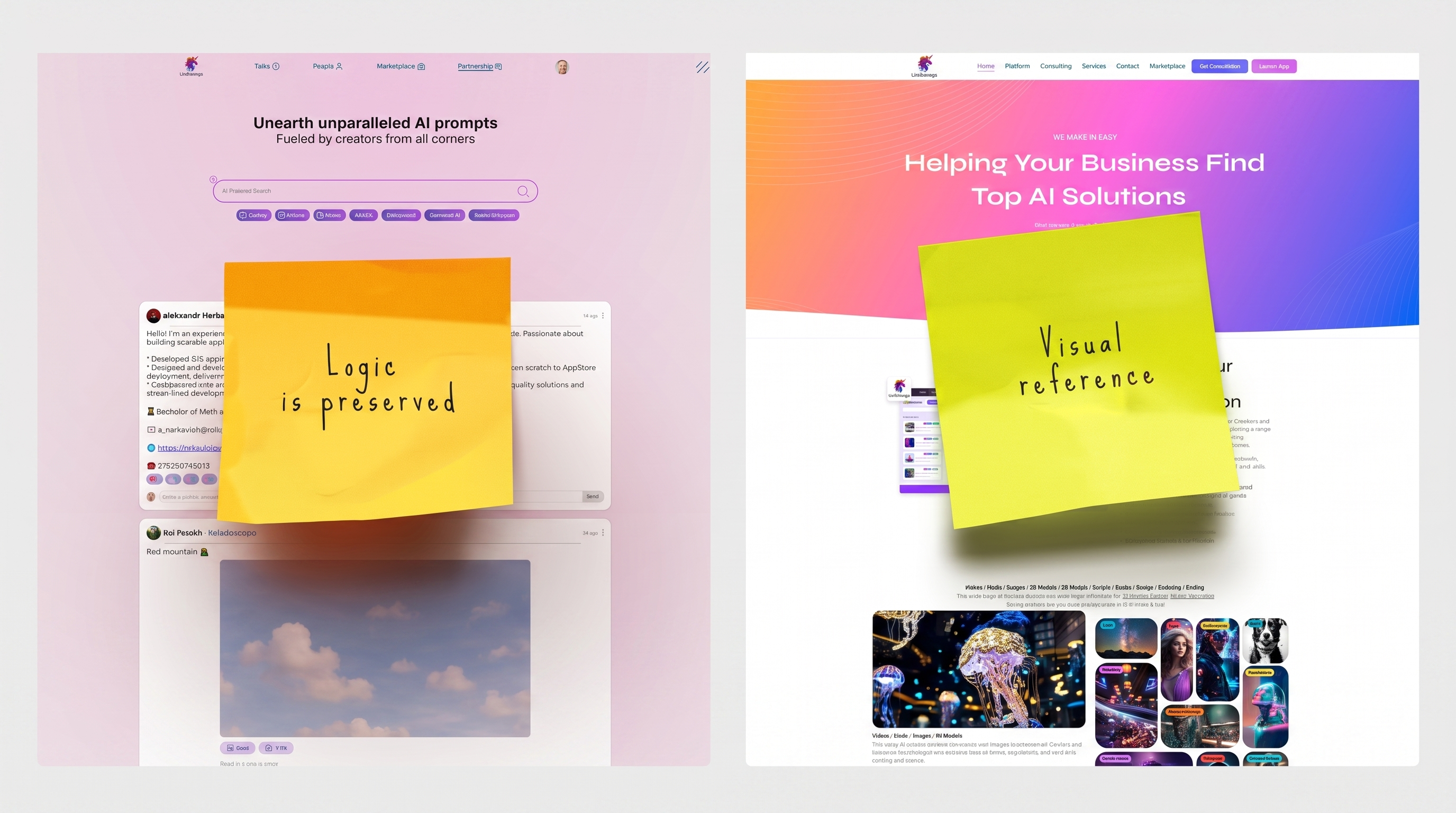
My Role
I was responsible for the full cycle: auditing the existing UI, building a design system from scratch, redesigning key product areas, supporting implementation with developers. I worked closely with the development team and designed solutions within real technical constraints.
Approach
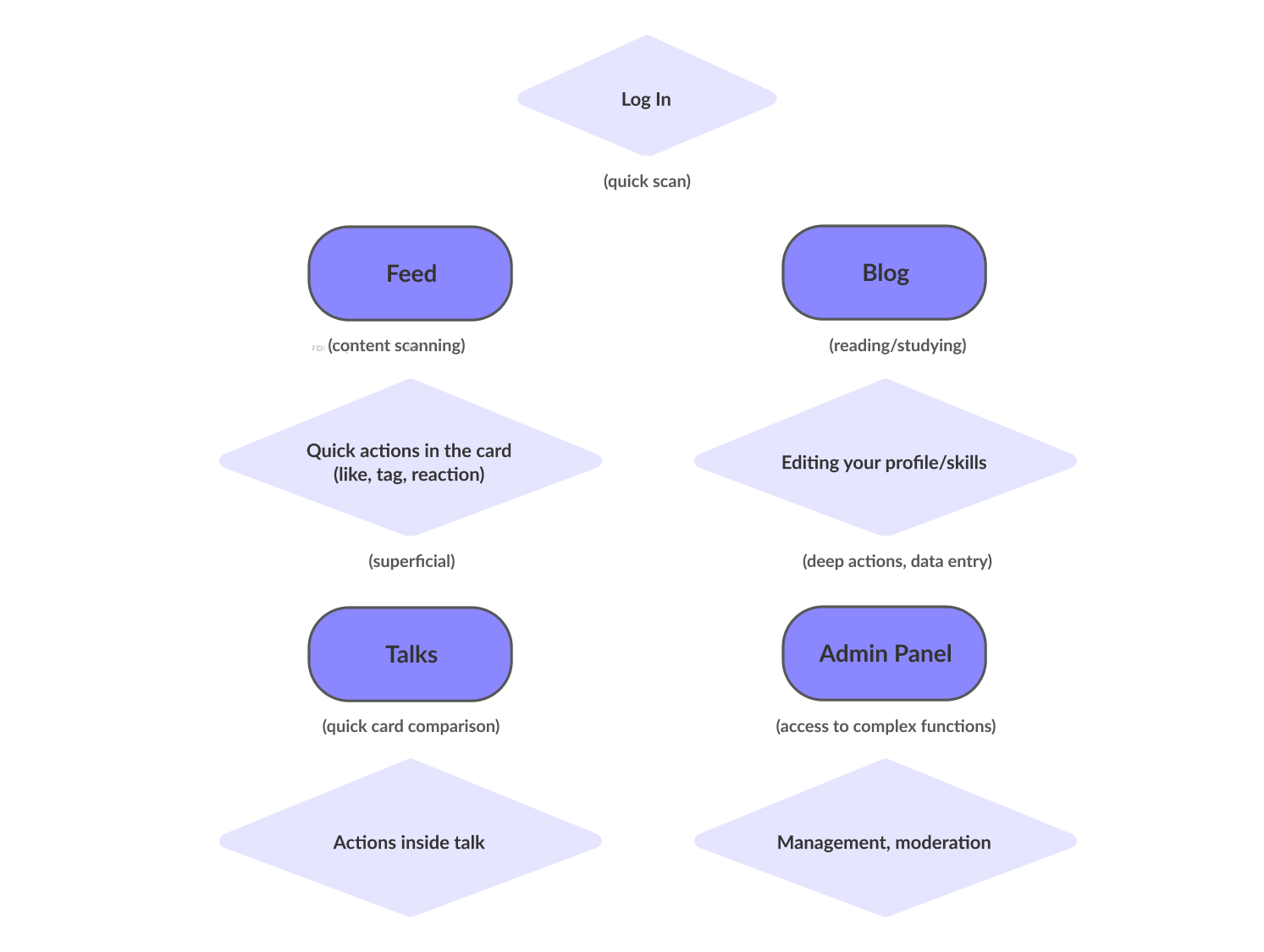
Hypotheses: removing extra accents would make cards easier to scan; more whitespace would improve readability; unified buttons/tags/icons would create a cohesive feel; consistent rhythm would reduce visual chaos.
Scanning areas — Feed, Talks, cards, tags: speed, hierarchy, contrast, whitespace.
Reading & analysis — Blog, Talk details, Admin Panel: structure, typography, content density.
Quick actions — reactions, likes, tags, filters: lightweight and highly clickable UI.
Deep actions — profile editing, moderation, user management: calm interface with minimal noise.
Before / After
The Feed is the main source of expert content. Previously, it was too dense and noisy, making scanning difficult. What I changed: simplified card design, improved hierarchy (content type, author, time), refined reactions and quick actions, introduced consistent visual rhythm. Before — visual noise and competing elements. After — clean cards, clear rhythm, modern and lightweight feel.
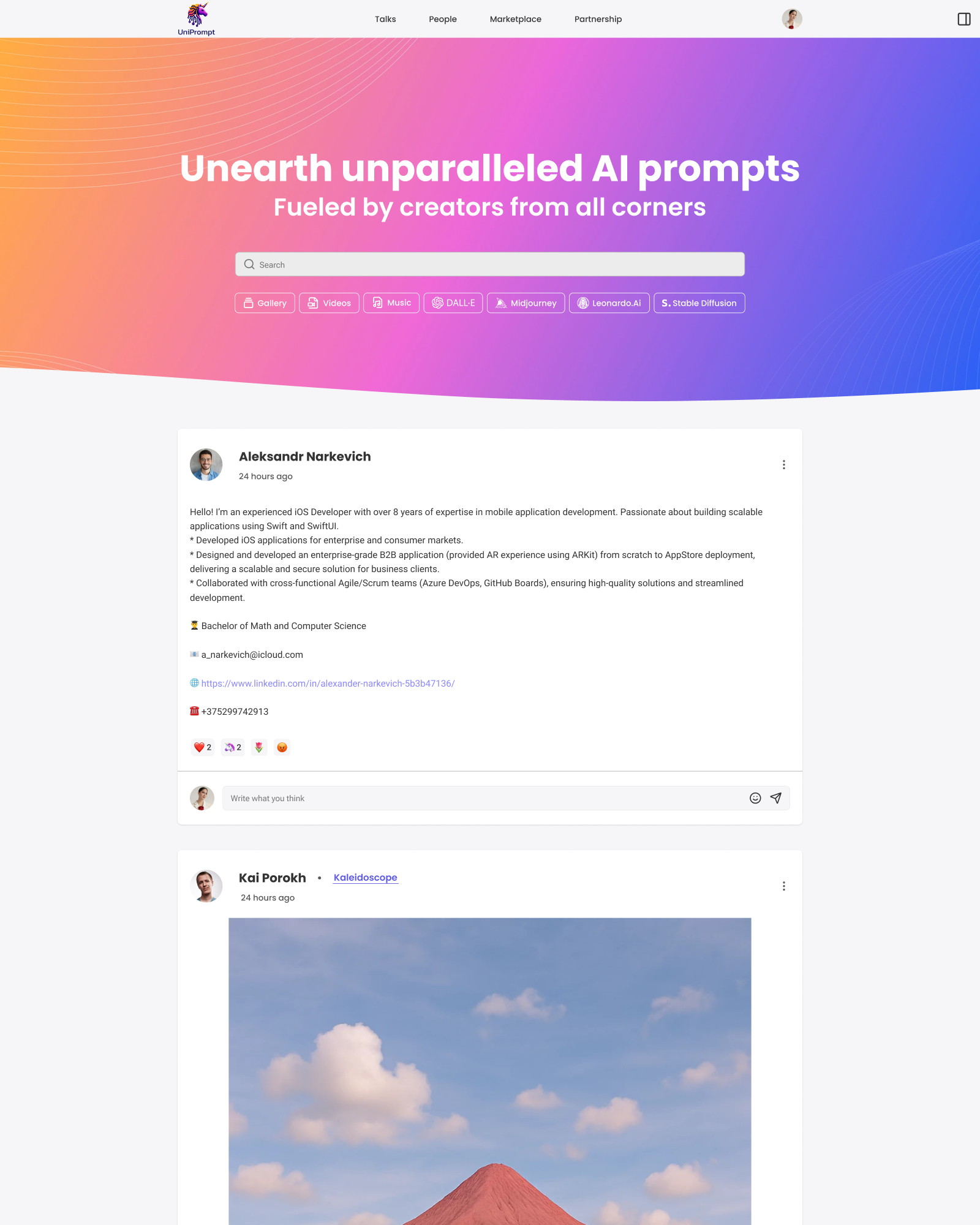
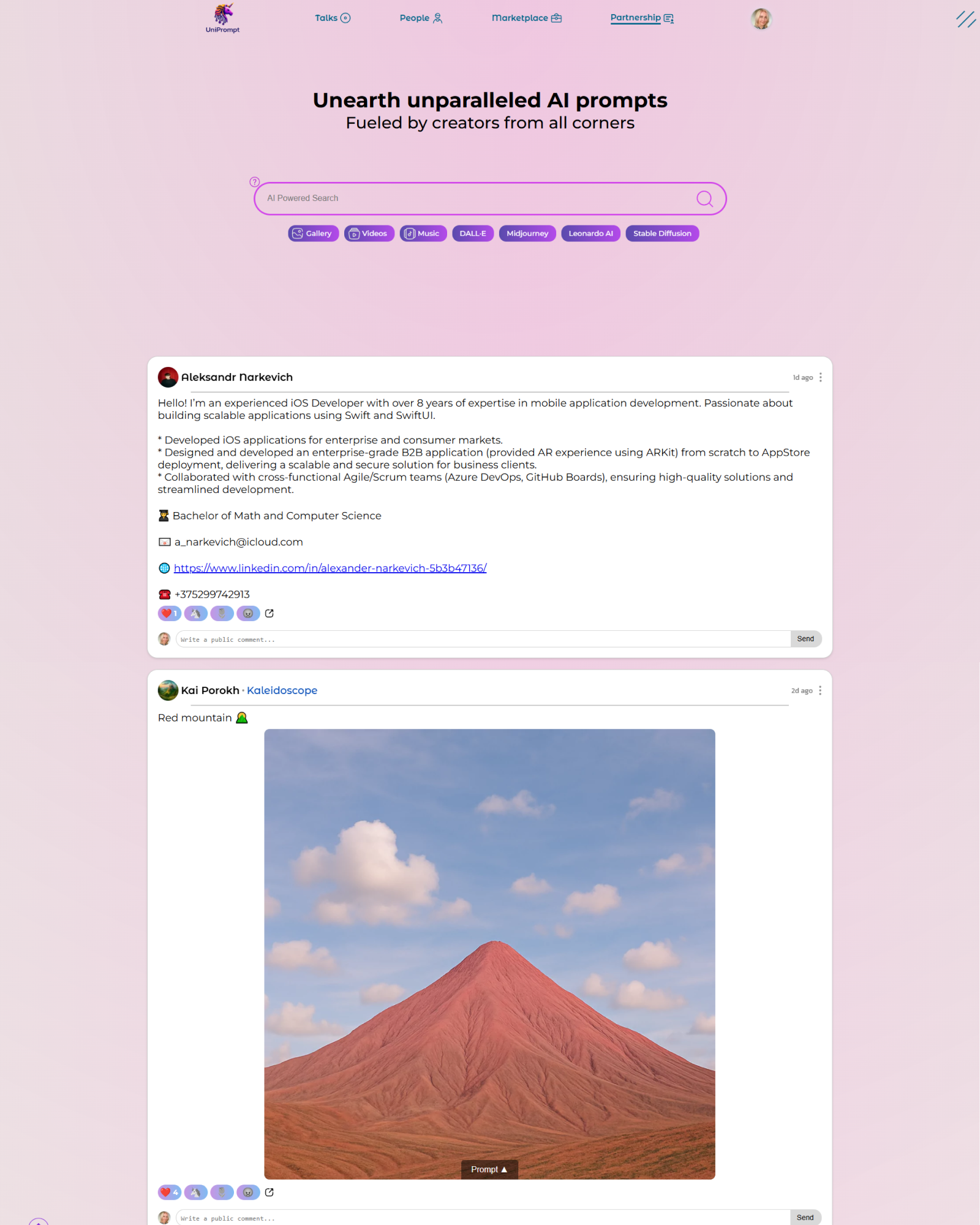
Feed · Before / After
Talks is a module for active and closed discussions. The structure was solid, but visually it felt flat and hard to scan. Improvements: kept the existing logic (by client request), improved contrast and readability, refined cards/spacing/alignment, added visual rhythm, updated tags and icons carefully.
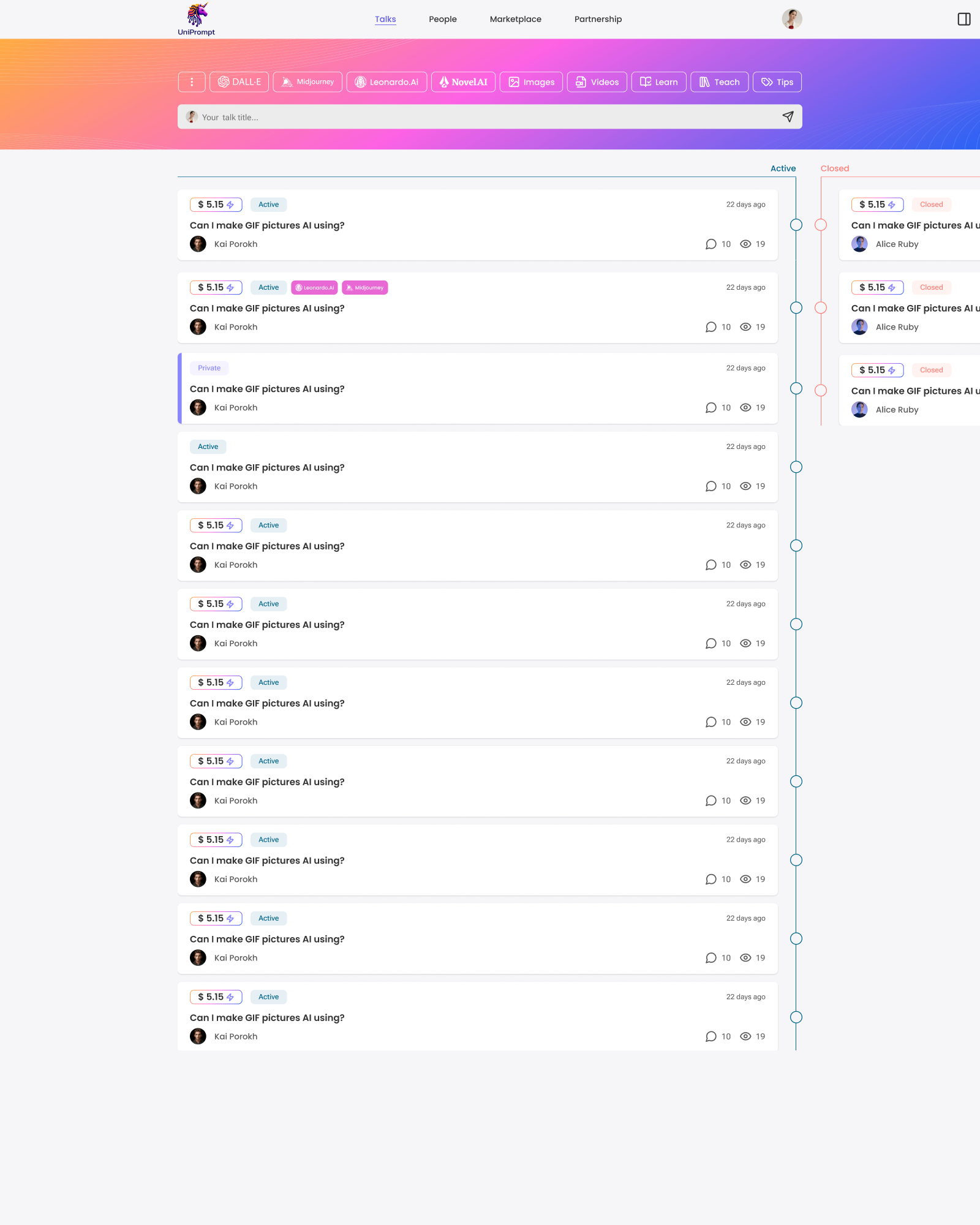
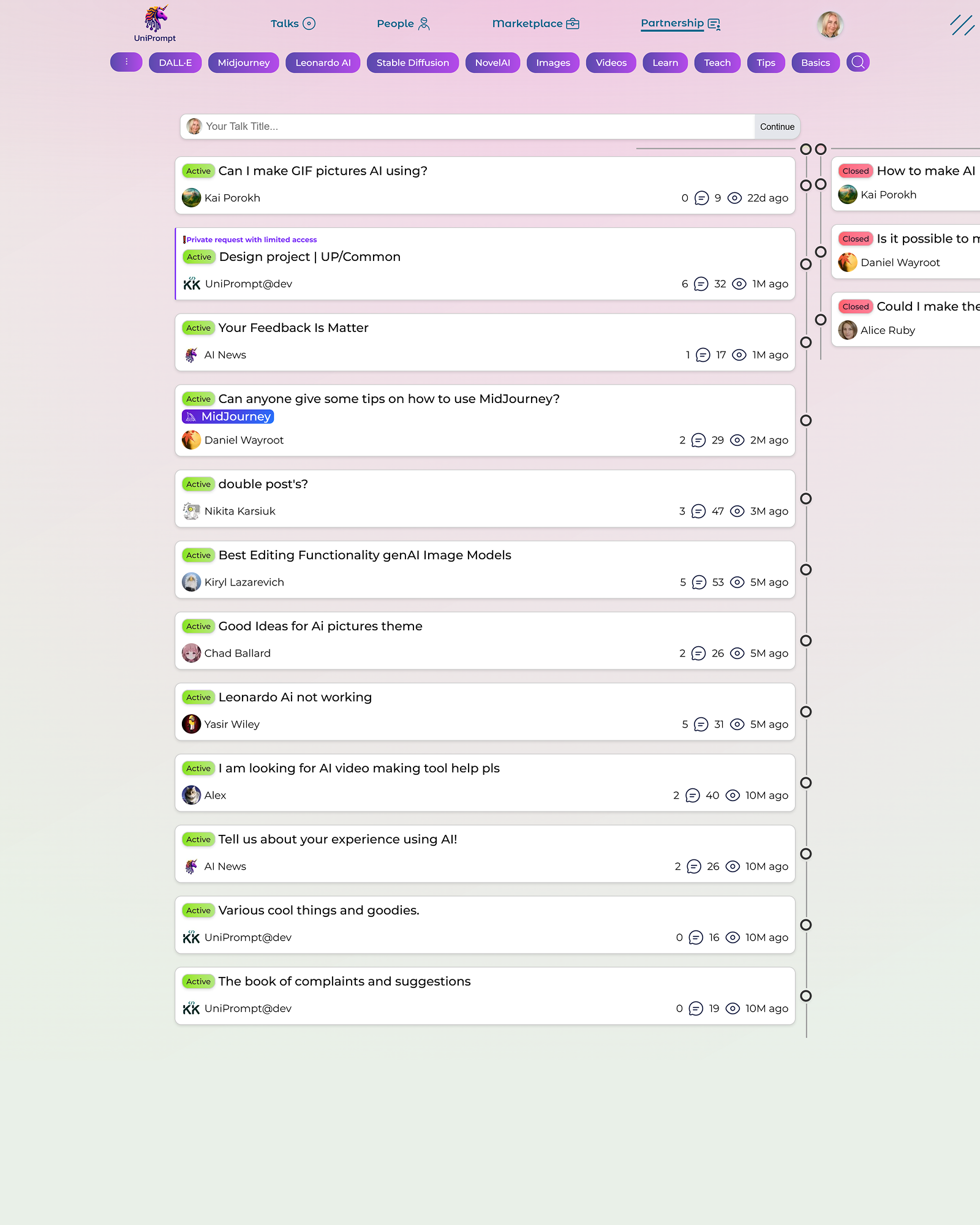
Talks · Before / After
The blog felt like “pages from different years.” Images were inconsistent, filtering was missing, and structure was unclear. What I did: added a clear filter system (categories, tech stack, skills), separated specialization from details, unified card styles, introduced adaptive image rules, improved typography.
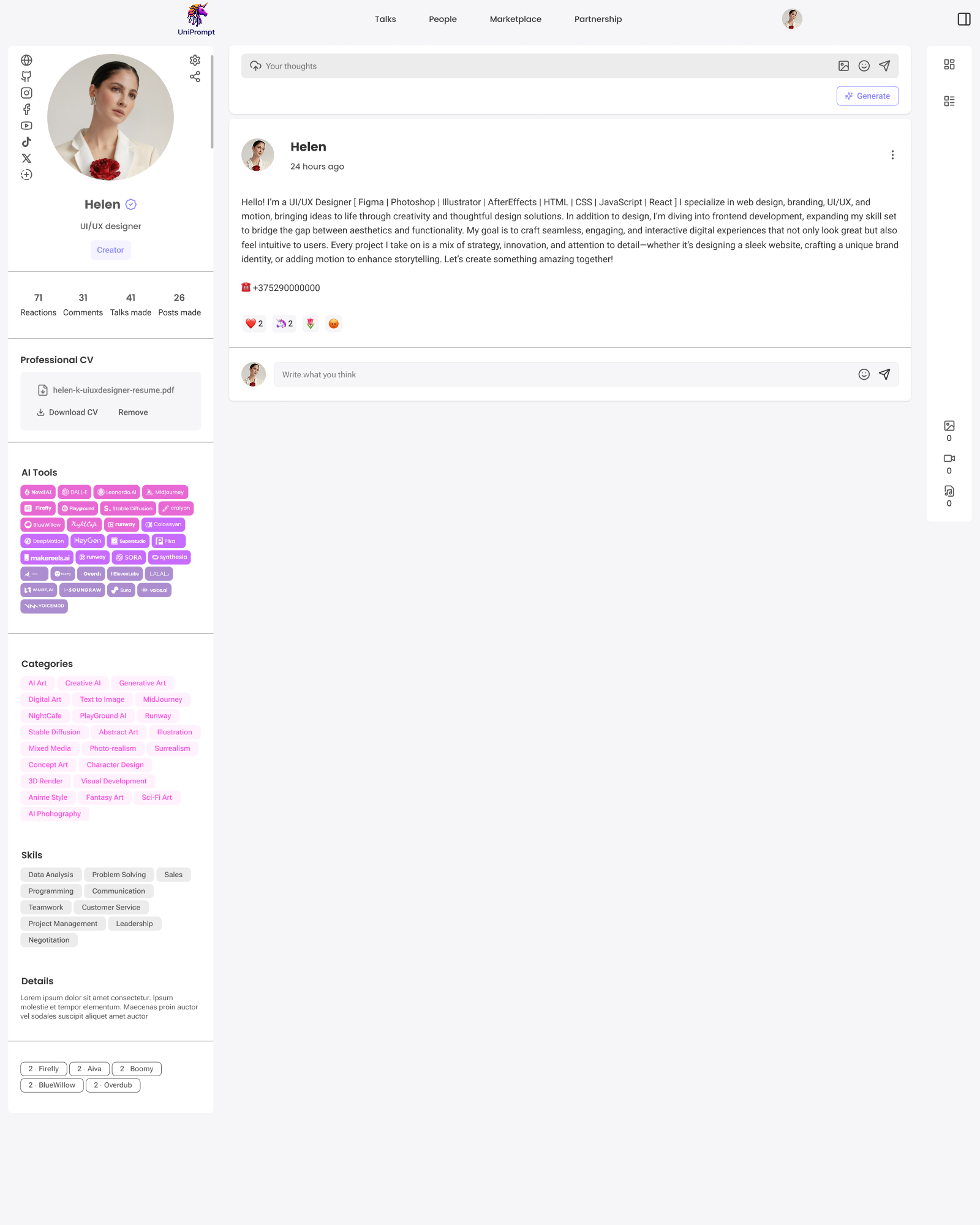
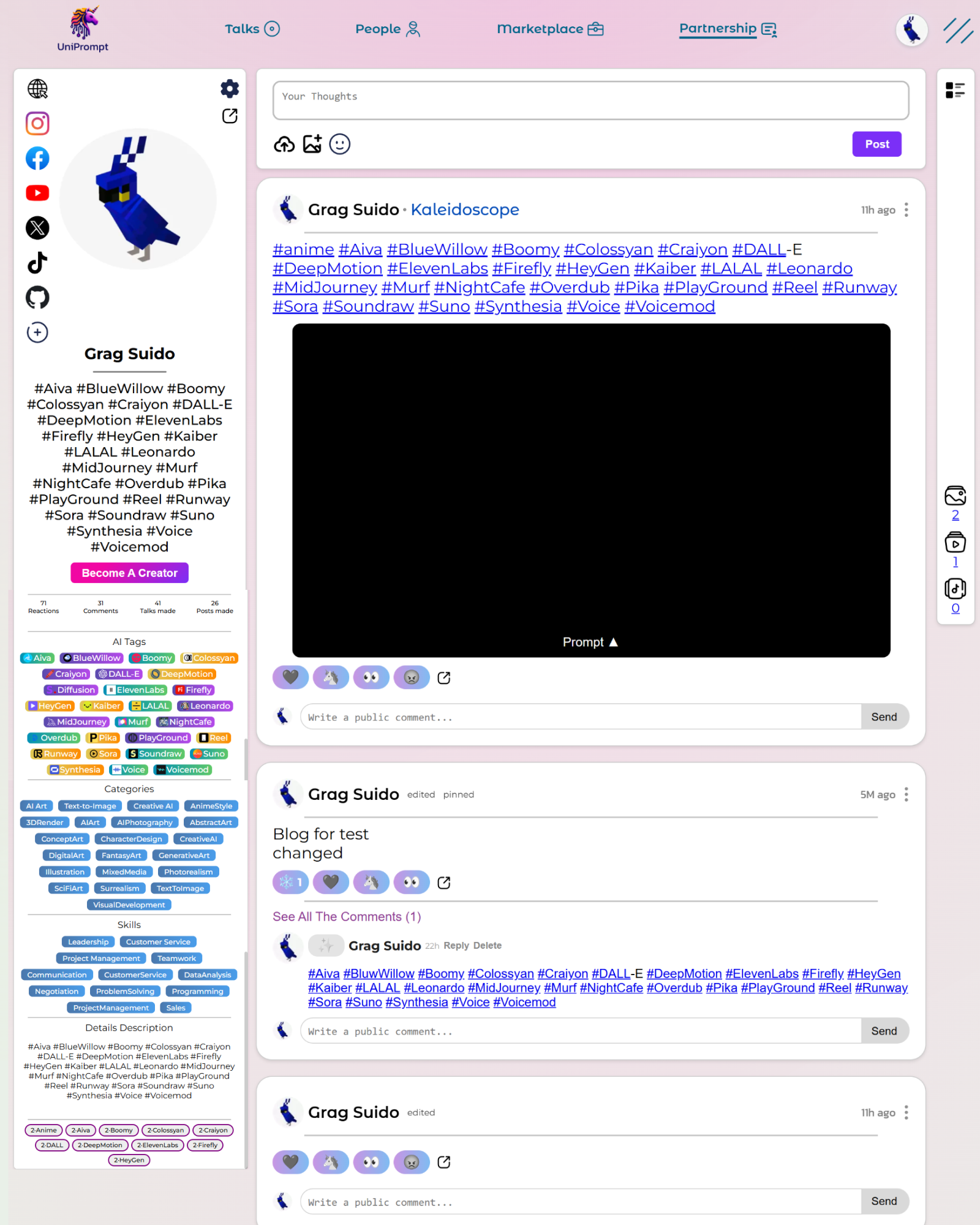
Blog · Before / After
The People section was stable and didn't require major UX changes. However, it was hard to quickly understand who does what. I carefully added skill tags without changing the existing logic.
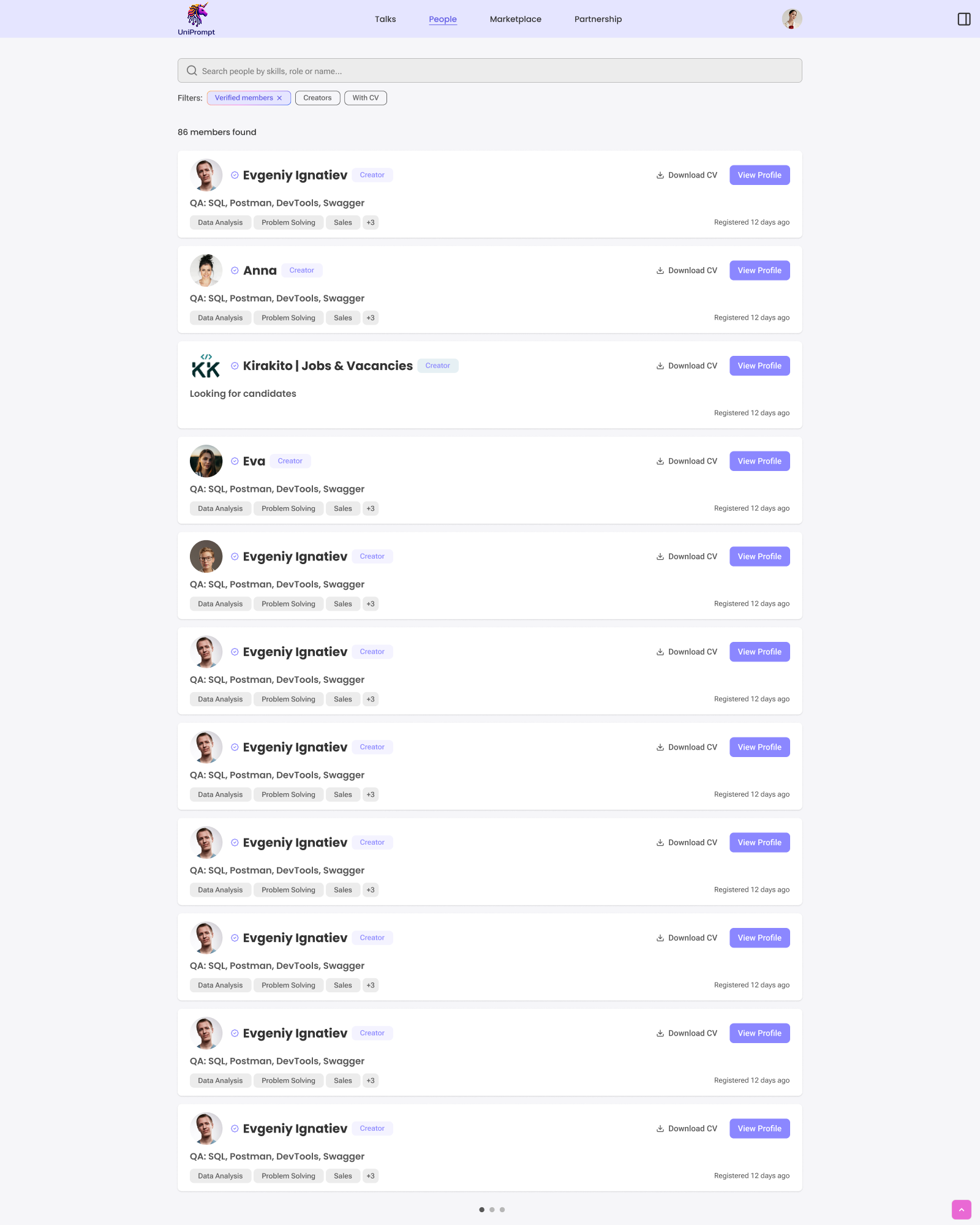
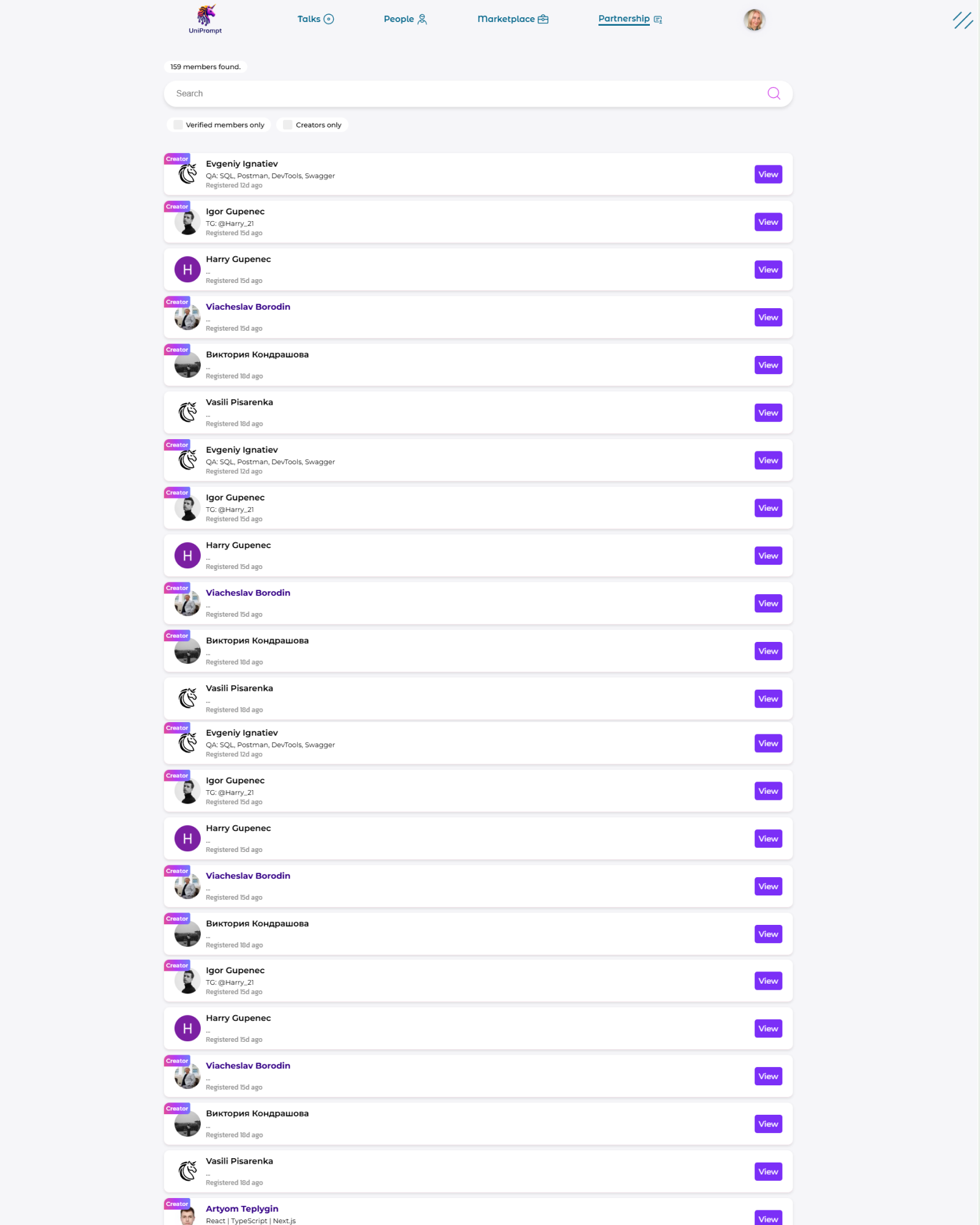
People · Before / After
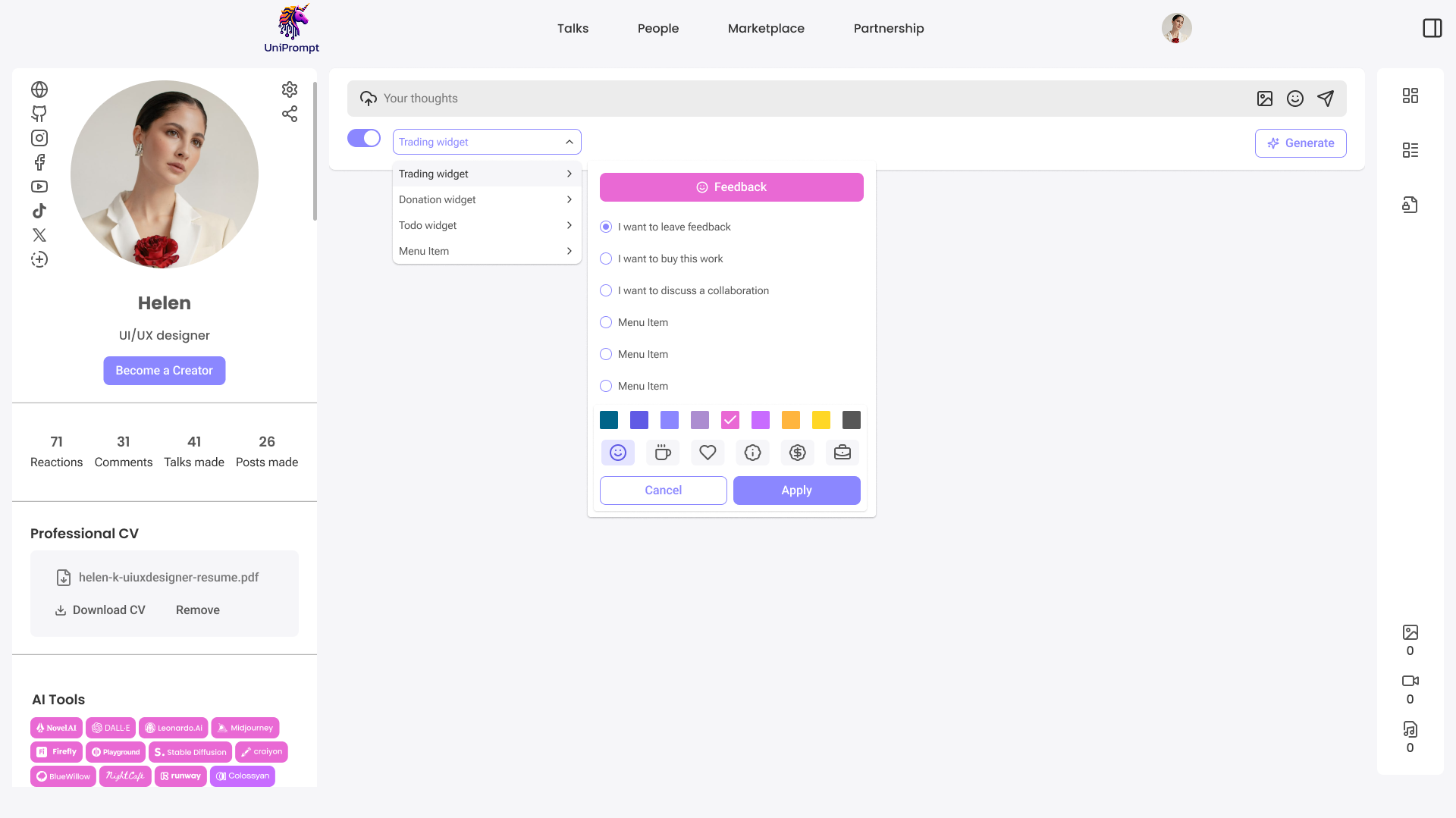
Widgets Inside Posts
Authors can now add interactive widgets directly into posts: choose widget type (feedback, donation, todo, etc.), customize button color and icon, control visual style without developers. This turned the blog into an interactive platform for communication, sales, and feedback.
Results & Impact
Recommendation
A recommendation letter from management.
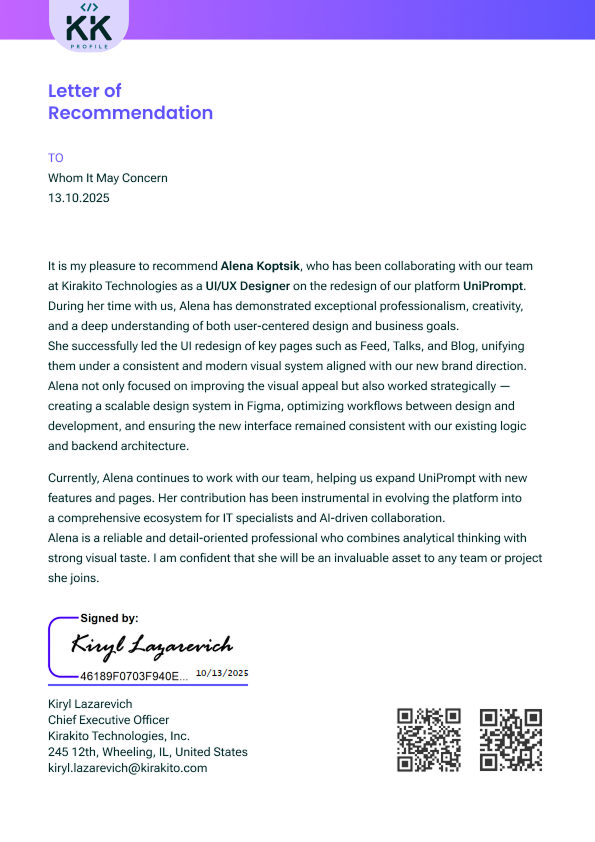
“Alena demonstrated exceptional professionalism, creativity, and a deep understanding of both user-centered design and business goals.”
She successfully led the UI redesign of key pages — Feed, Talks, and Blog — unifying them under a consistent modern visual system. Beyond visual improvements, she created a scalable design system in Figma, optimized design-to-dev workflows, and ensured consistency with backend architecture.
Kiryl Lazarevich
CEO, Kirakito Technologies · Signed 13.10.2025
Stage 2
Board & Teams
From a content platform to a B2B-ready collaboration workspace
Project Context
After the redesign and design system implementation, UniPrompt entered a new growth phase. However, the product was still primarily a content-driven platform, not a working tool. Users could read content, discuss ideas, interact in comments. But they couldn't actually do the work inside the product. This limitation made it impossible to move forward into the B2B and enterprise space.
Problem
UniPrompt did not support real collaboration: no tasks or statuses, no roles or ownership, no team structure, no connection between people → tasks → projects.
Business Goal
Build a collaboration layer that: turns discussions into actionable tasks, connects people, roles, and projects, scales across different teams, stays lightweight and clear, integrates into the existing product without breaking UX.
My Role
I worked as a Product Designer with full ownership of the UX architecture, responsible for: designing Board (Tasks), designing Teams (People & Roles), defining the UX logic connecting People → Tasks → Projects, navigation and user flows, role models and permission logic, UX solutions for Admin & Business accounts, preparing the product for enterprise use, supporting the development process.
Approach & Process
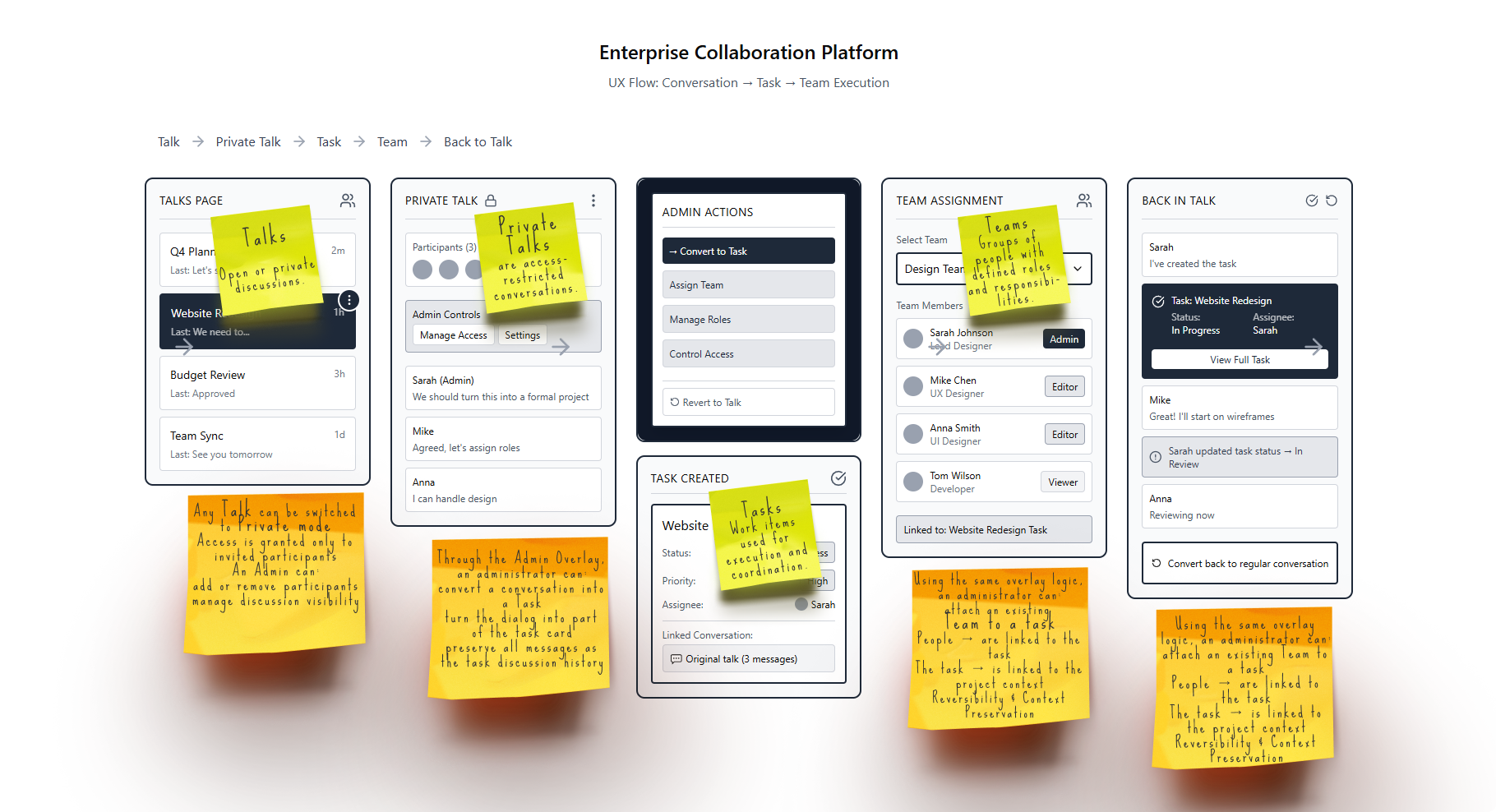
Admin Overlay
For administrators and business accounts, I designed an overlay mode that allows: converting a private chat into a task, converting a task back into a chat, moderating workflows, managing access without losing context. This solution reduces fragmentation, preserves history, makes administration fast and intuitive.
Admin Overlay walkthrough
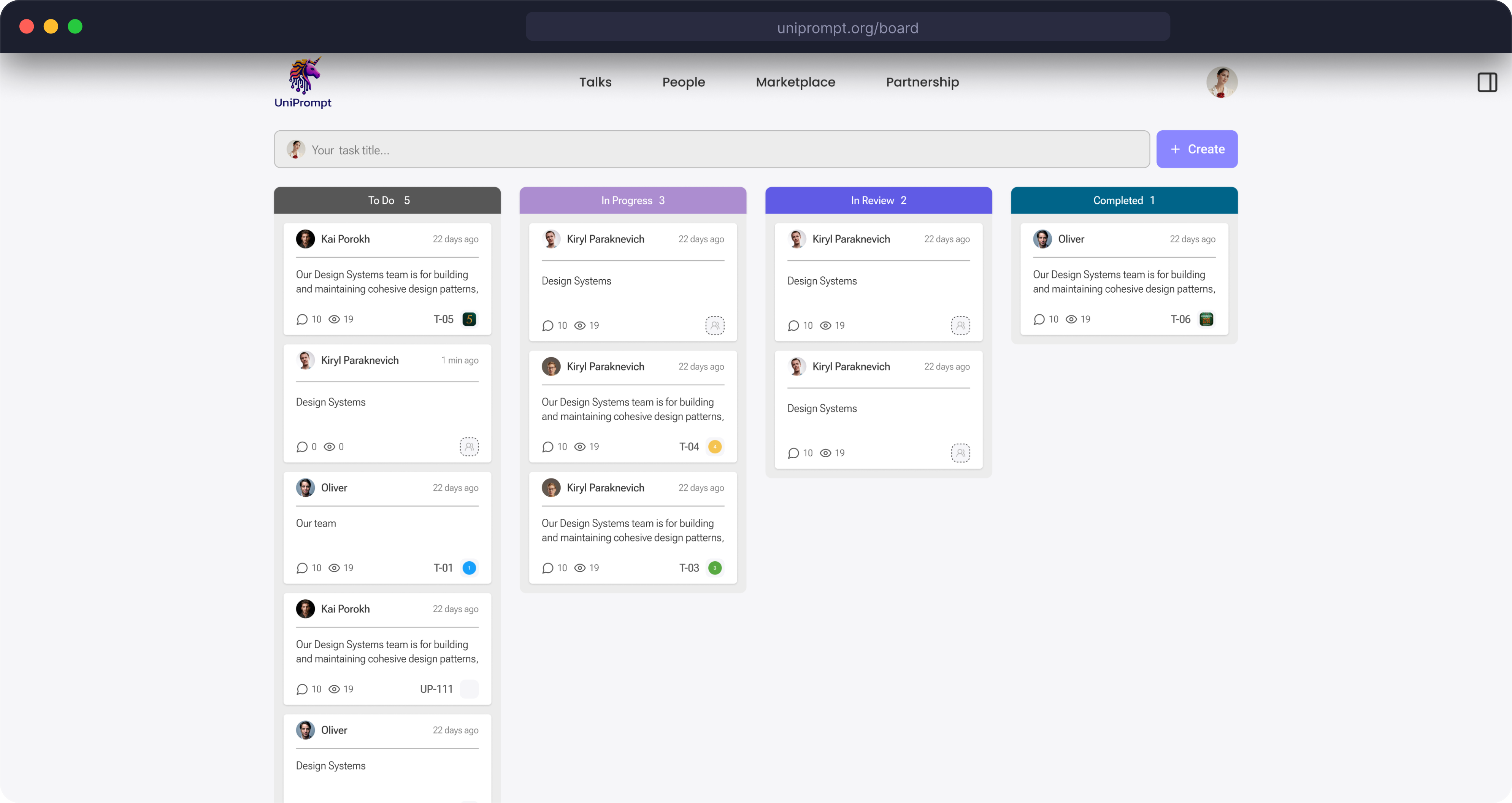
Board (Tasks)
The Board became the core of task execution. Key features: kanban logic, statuses and priorities, drag & drop, assignees, tags, compact and expanded cards.
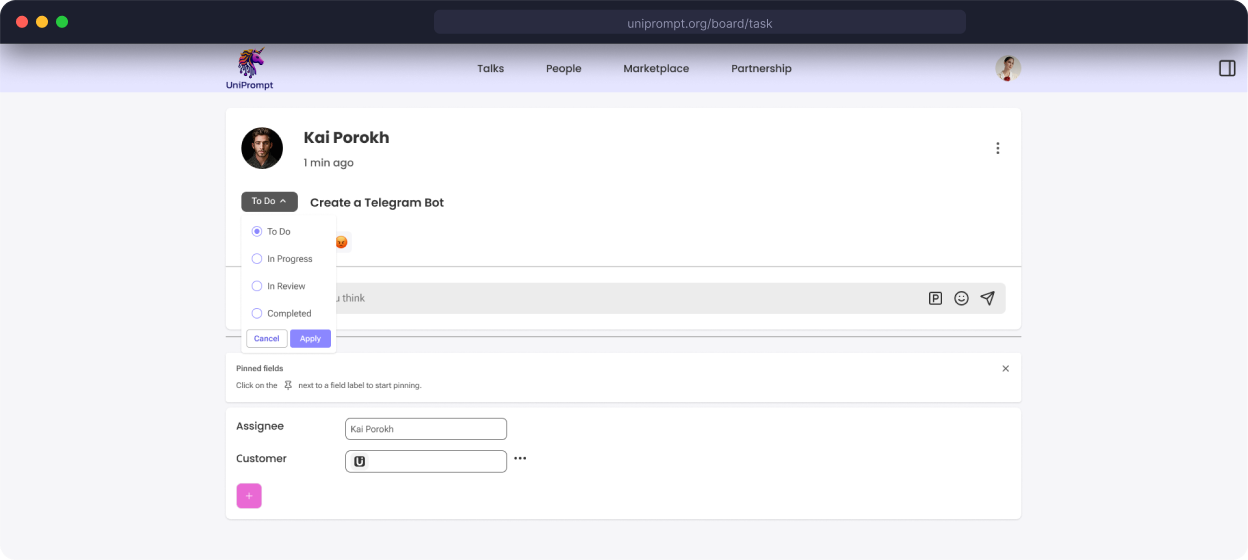
Task status can be updated directly in the card. This approach, requested by the business, keeps users focused on task content and minimizes unnecessary navigation.
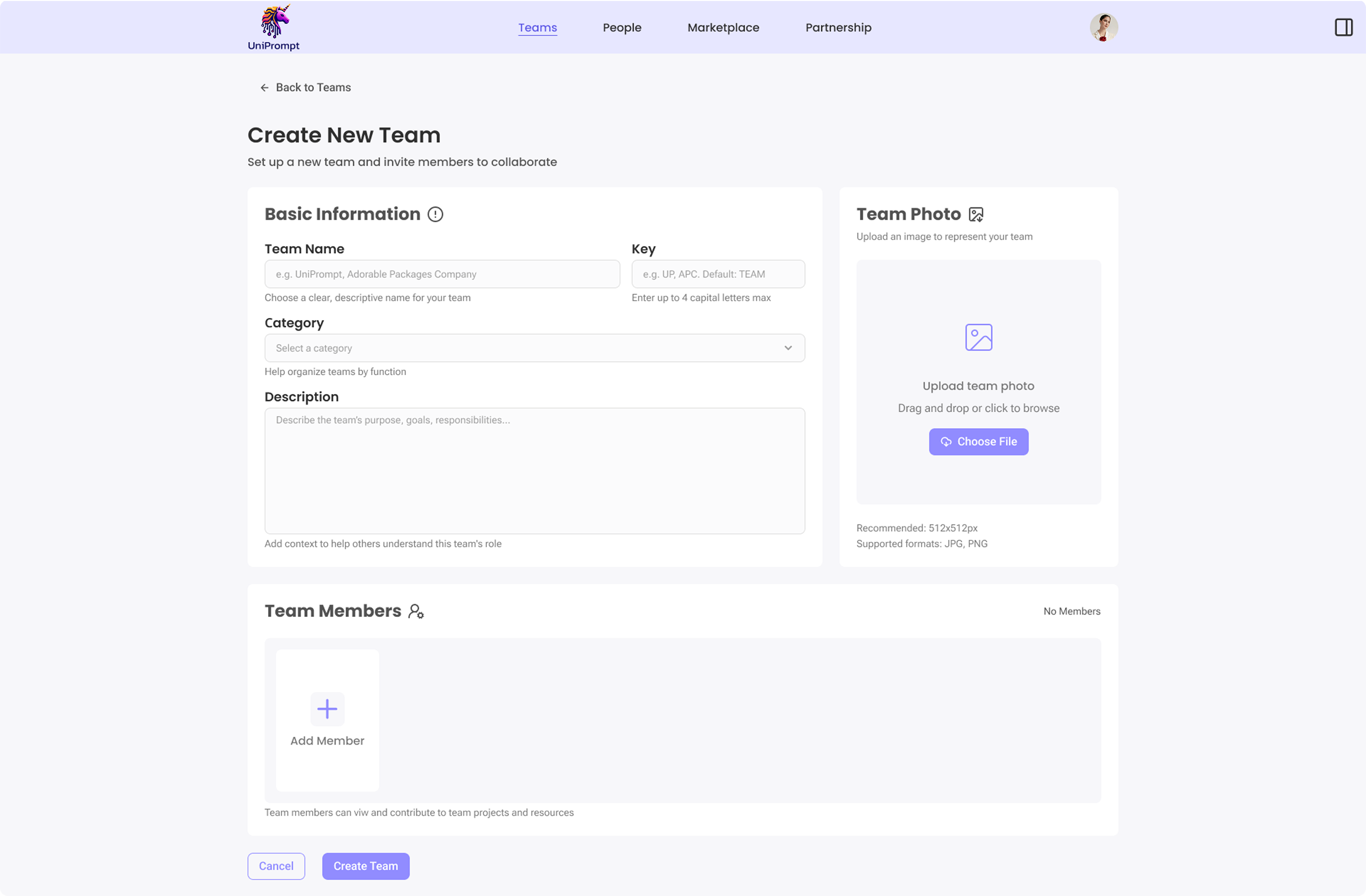
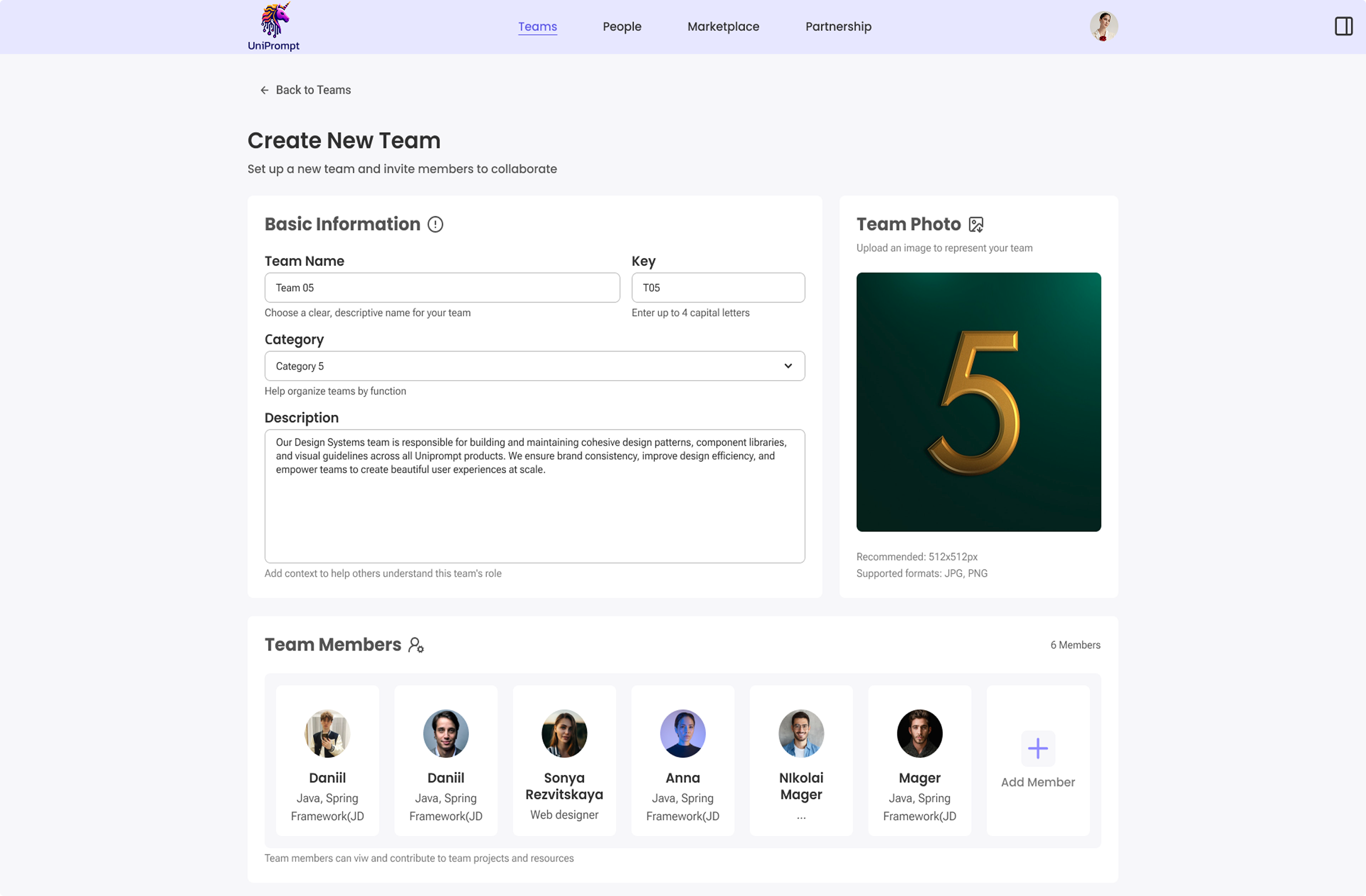
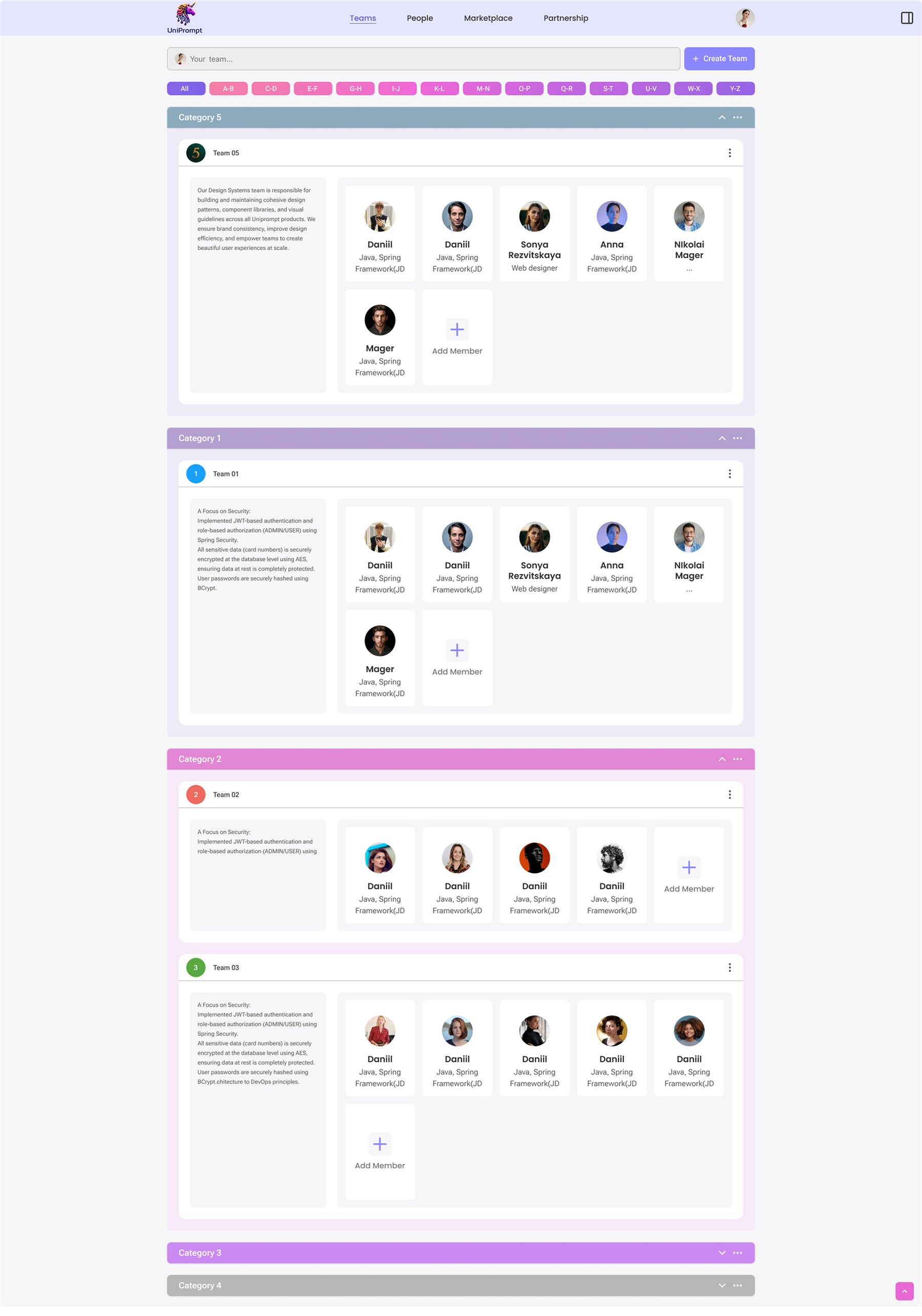
Teams
Teams manages people, not just the visual interface. Designed features: team structure, roles and access levels, invitations, responsibility tracking, linking people to tasks and projects.
What shipped
Adoption and usage were never instrumented on this project. So instead of numbers I can't stand behind, here's what actually went to production and what I owned.
What these decisions were meant to change
A task can be created directly from the conversation it came out of, instead of switching to a separate tool to capture it.
Roles, invitations, and per-account permissions exist — the structure a B2B pilot needs before it can start.
People, talks, tasks, and teams are modelled as one connected structure, not four separate ones.